GOOGLE REVIEWS

Potential customers often look to Google to discover local businesses, read reviews, and learn more about products and services. One essential tool for any business is a Google My Business (GMB) profile. But why exactly is it so important, and how can you make the most of it?
Why Do You Need a Google My Business Profile?
A Google My Business profile helps you appear in local searches, provides vital information about your business, and gives potential customers a snapshot of what you offer. It’s a powerful way to stand out online, especially as more customers rely on Google for local recommendations.
Why Should You Improve Your Profile?
Having a GMB profile is just the first step. Actively maintaining and optimising it can significantly improve your local SEO, helping you attract more local customers. A well-optimised profile makes your business more visible in search results, boosts credibility through customer reviews, and even makes it easier for customers to contact you.
1. Ensure Your Business Information is Up to Date
Consistency and accuracy are critical for local SEO. Make sure your business name, address, phone number, website, and hours of operation are correct and consistently formatted across all online listings. Updated information helps Google recognise and trust your business, which can improve your ranking in local search results.
How to Claim Your GMB Profile
- To claim a Google My Business Profile, you can do the following:
- Go to Google Maps or business.google.com/add
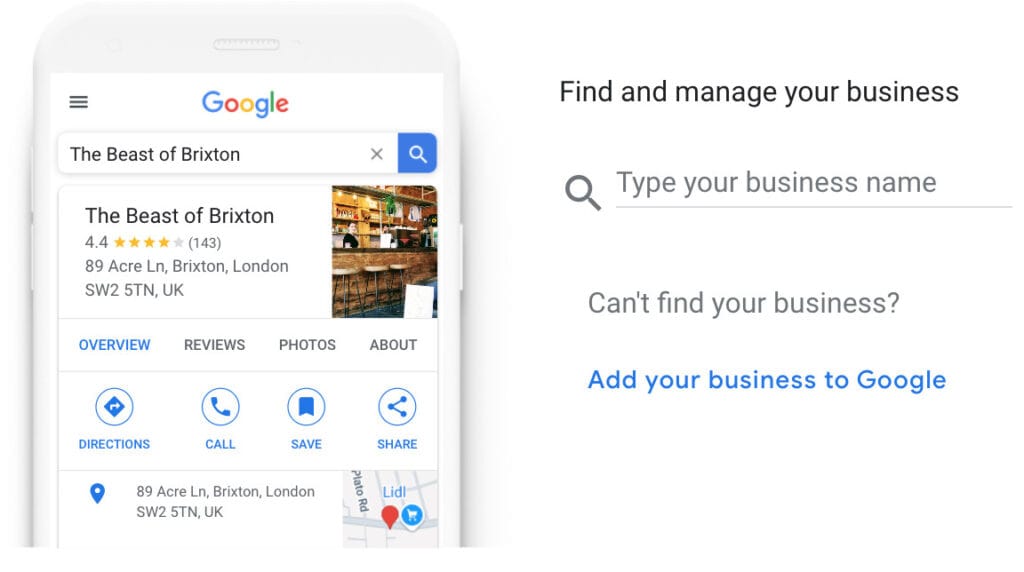
- Search for your business
- Select your business from the results
- Click Claim this business
- Select I own or manage this business
- Choose a verification method
- Follow the on-screen instructions
- Click here for more help and info
2. Gather More Reviews
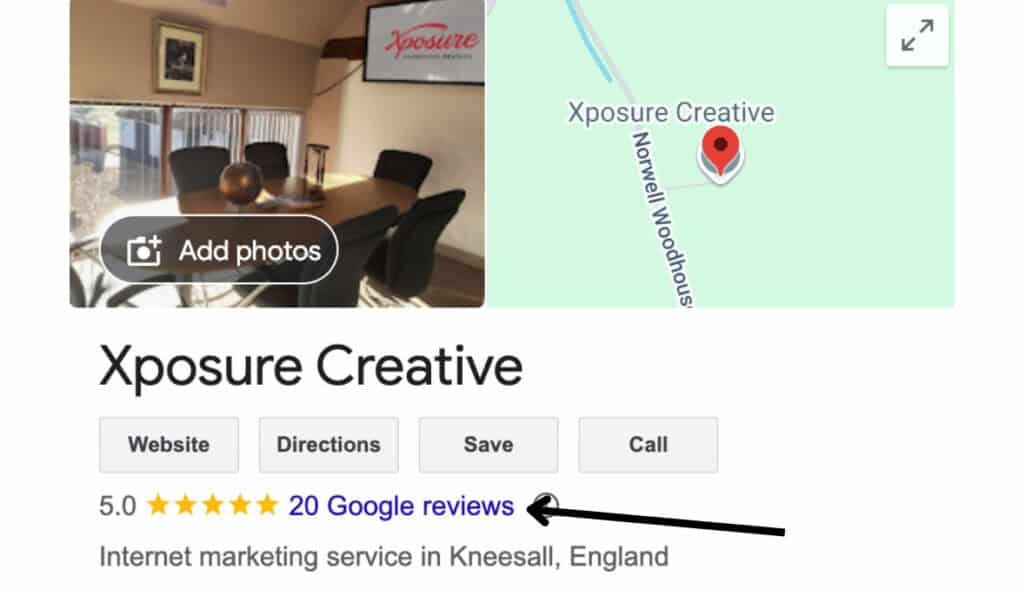
Positive reviews are the ultimate form of social proof; they build instant trust and directly improve your visibility in local search results. While you should always ask satisfied customers for feedback, the challenge for most SMEs is finding the time to do it consistently.
To make this easier, we’ve launched a review management tool that puts this process on autopilot. Instead of manually chasing clients, the system automatically sends a friendly “nudge” via SMS or email, guiding happy customers straight to your GMB profile while allowing you to handle any private feedback internally. Whether you do it manually or use automation, be sure to respond to every review—both positive and negative—to show you value customer feedback and are actively engaged with your audience.
Find out more about Social Proof
3. Add Social Media Posts
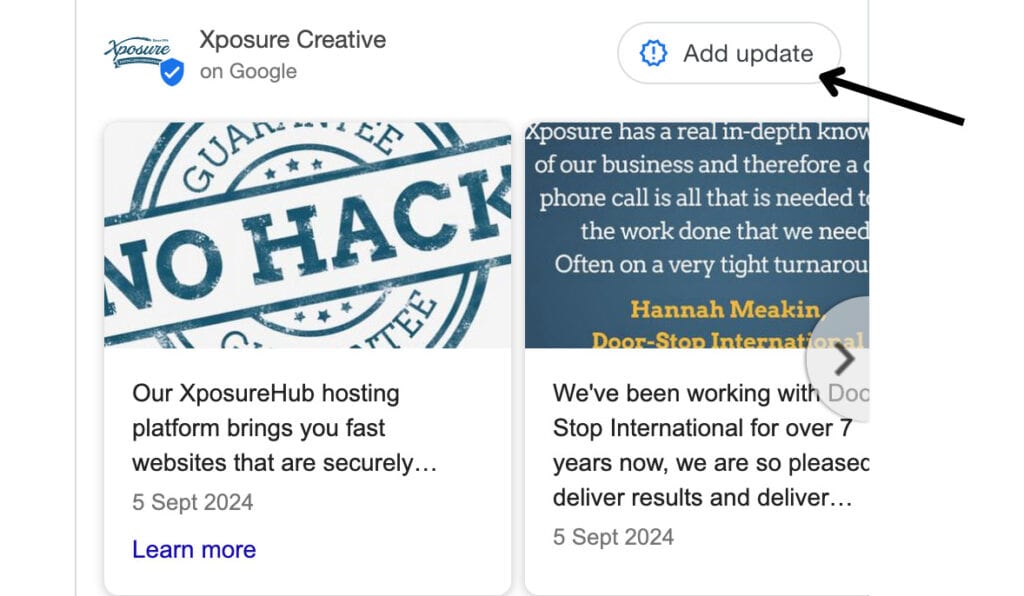
Posting updates, offers, events, and product announcements directly to your GMB profile can help you engage with local customers. These posts appear in search results, so it’s a great way to keep your profile fresh and show what’s happening with your business. Share regular updates to boost engagement and keep customers informed. You can also link your business’s social media profiles to your GMB profile by adding a link to them to the ‘social profiles’ section in the edit your profile settings.
To do this, select post an ‘update’ onto your profile. From there, you can add your desired text, pictures and a call-to-action to your post.
4. Set Up Messaging
GMB offers a messaging feature that allows customers to reach out to you directly from your profile. Setting up messaging gives potential clients a quick way to ask questions or inquire about your services, enhancing customer experience and increasing the likelihood of conversion.
How To Set Up Messaging
- Go to your Business Profile.
- Click Edit profile, and then Business information, and then Contact.
- To edit, click Chat and then the Down arrow.
- In the drop-down that opens, select either SMS or WhatsApp.
- In the “Number” field, add a phone number that can receive text messages or your WhatsApp URL.
- Click Save.
*Chat options are currently available for select regions and might not be available for your Business Profile.
5. Keep Your Profile Updated Regularly
Google likes fresh content, so updating your profile with new photos, posts, and reviews keeps your profile active and relevant. Regular updates signal to Google that your business is thriving, which can lead to better rankings and increased visibility. Plus, a well-maintained profile creates a positive first impression for potential customers.
Enjoying This Article?
Never miss another one...
Sign up for our e-mail newsletter and we'll let you know when we publish new pieces like this to help you on your marketing journey.
Tried and Tested By Us
Recently, at Xposure Creative, we implemented these tips to improve our Google My Business profile as the next step in improving our online presence and local SEO.
In three months:
- We updated any out-of-date information on our profile
- We asked our clients for reviews
- We added social media posts to our profile
- Set up messaging
By making these improvements, we received a 50% uplift in Google reviews, 3.4% increase in organic traffic from Google search and the number of engaged sessions has increased by 5.15%.
Improving your Google My Business profile is one of the simplest, most effective ways to attract local customers and boost your online presence. By following these five tips, you can make a strong impact on your local SEO and set your business up for long-term success.
If you’re interested in taking your local SEO to the next level, get in touch with Xposure Creative and let’s discuss how we can support your growth!
Xposure, Digital Marketing Agency Newark & Mansfield
Based between Mansfield & Newark in Nottinghamshire, our boutique marketing agency offers hands-on experience and expertise to businesses throughout the East Midlands.
We work with businesses monthly to help them identify potential markets and build creative, results-driven marketing campaigns that target their ideal customers and convert them into qualified leads. If you would like help improving your Google ranking, please get in touch with us below.